HCI Mesh™ -Feature Walkthrough
**HCI Mesh

We can achieve better compute and storage utilization across the datacenter and avoid unnecessary purchase of hardware per cluster. Example : VM hosted on cluster-1 can have all of its disks and namespace provisioned from a different cluster within the same datacenter, allows vSphere administrators to do a regular vMotion (not SvMotion) between one or more clusters which are part of this **HCI Mesh
To enable **HCI Mesh
Terminologies Used with **HCI Mesh
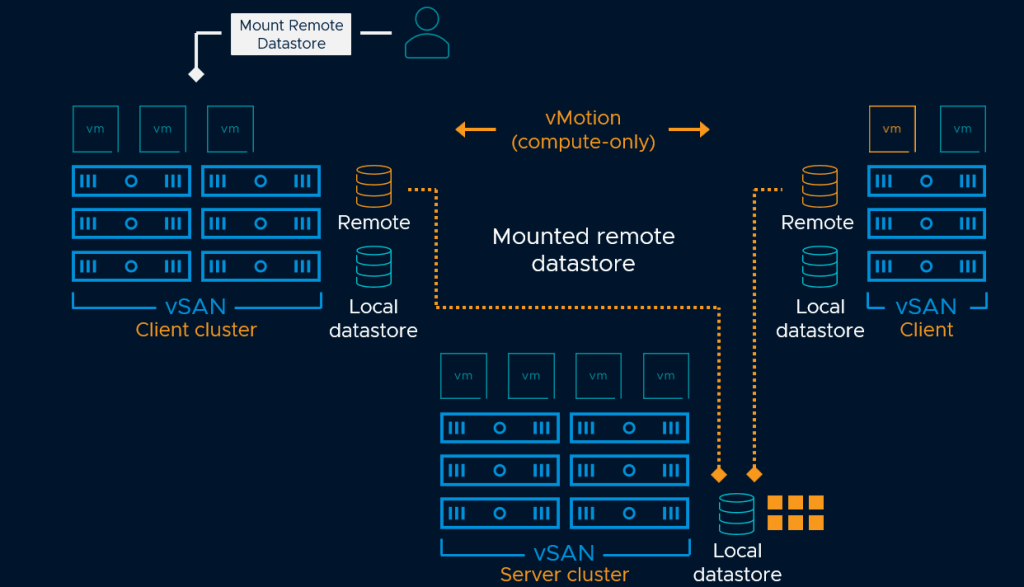
HCIMesh-Design
Compatibility Checks:
•The remote datastore type is vSAN – This check prevents non vSAN datastore to be listed as available remote datastore for mount. •**Server and client clusters are from the same datacenter **– Remote vSAN cluster has to be on the same vSphere Datacenter in the vCenter server. •**The selected server cluster is remote **– Selected server cluster is not same as the local cluster. •**Cluster configuration is supported **– Prevents Stretched and ROBO remote vSAN cluster to be listed as compatible •**vSAN format version supports remote vSAN – Server cluster is on vSAN 7 Update 1 with latest On-Disk-Format version. •[client vSAN datastore] is mounting from no more than 5 server clusters **– Local/Client vSAN cluster cannot mount more than 5 remote vSAN datastore. •No more than 5 client clusters are mounting [server vSAN datastore] vSAN’s datastore– Server cluster vSAN datastore is not mounted to more than 5 remote clusters •The remote vSAN datastore can provision objects with its default policy – Validates by checking if VMs can be provisioned with default datastore policy •Server cluster is healthy – Server vSAN cluster vSAN skyline health check passes all major tests. •Server and client cluster have no connectivity issues– vSAN VMKernel adapters between vSAN hosts on both server and client clusters can communicate over RDT protocol. •Latency between client and server hosts is below 5ms– Just like local vSAN cluster health check the network latency between the server and client (Local and Remote) vSAN cluster members should be less than 5ms to ensure that we dont have any major performance compromise while we disaggregate compute and storage between two clusters.
Limitations
•HCI Mesh feature is part of vSAN Enterprise or higher licensing •vSAN Direct Configuration– vSAN Direct datastores cannot mount a remote vSAN datastore or be mounted to a client cluster •vSAN datastores using Data-in-transit encryption cannot be presented to client clusters •**Stretched Clusters and 2-Node clusters **vSAN datastores cannot be mounted to a client cluster. •vSAN cluster services like File Services, iSCSI, or CNS based FCD workloads can only be presented to VMs running on Local vSAN Datastore and must not be presented to VMs on Remote vSAN clusters. •Air-gapped vSAN networks, or clusters using multiple vSAN vmkernel ports are not supported with HCI Mesh. •All objects for any virtual machine should be presented from either local or remote vSAN datastore, mixing placements across two or more vSAN datastores is not supported.
Datastore Sharing-Wizard
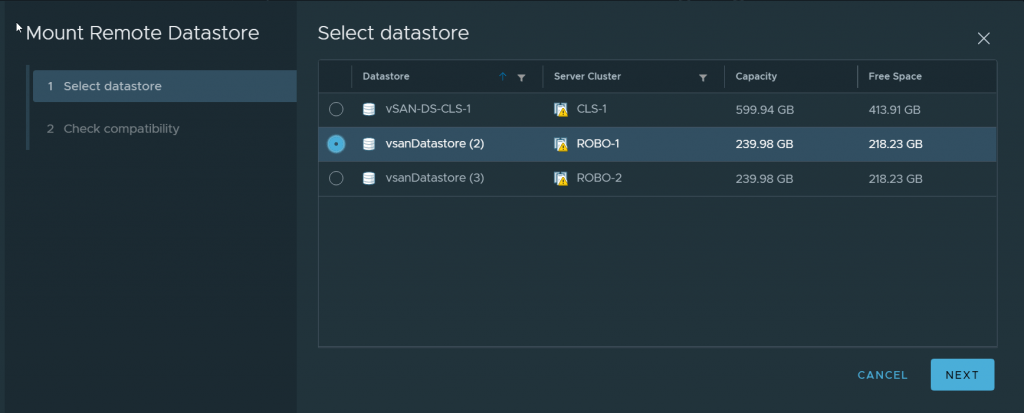
Select a Datastore to mount
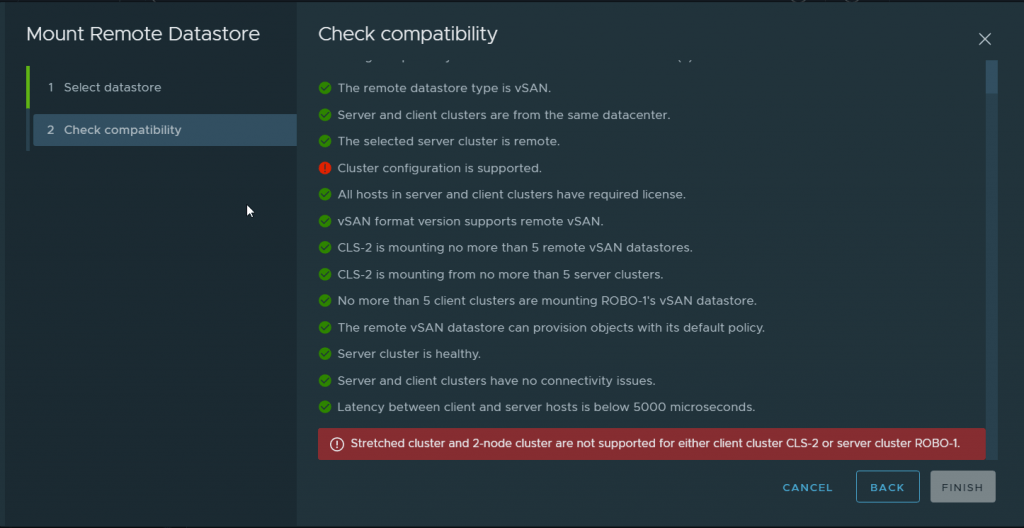
Compatibility fails for a ROBO vSAN Datastore while mounting
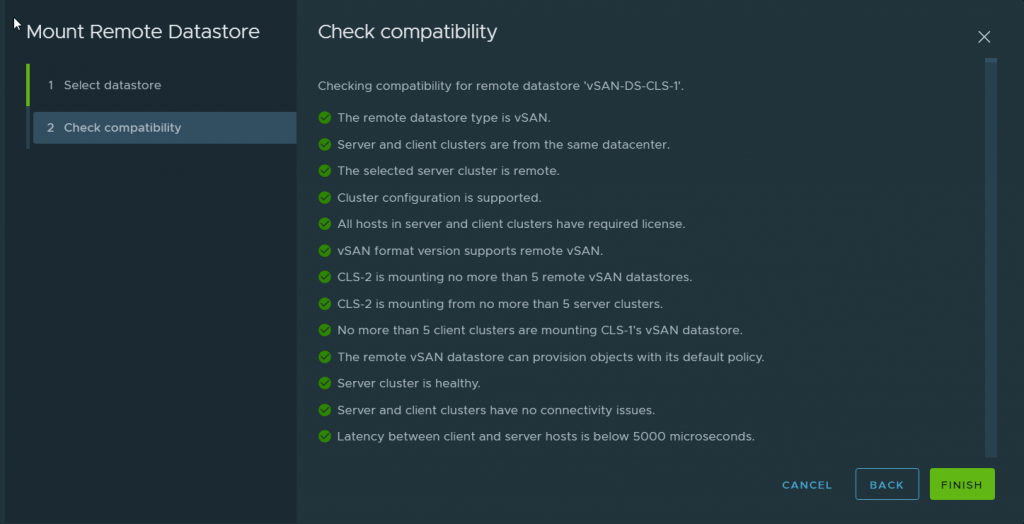
When we choose a valid standard vSAN datastore to mount check passes
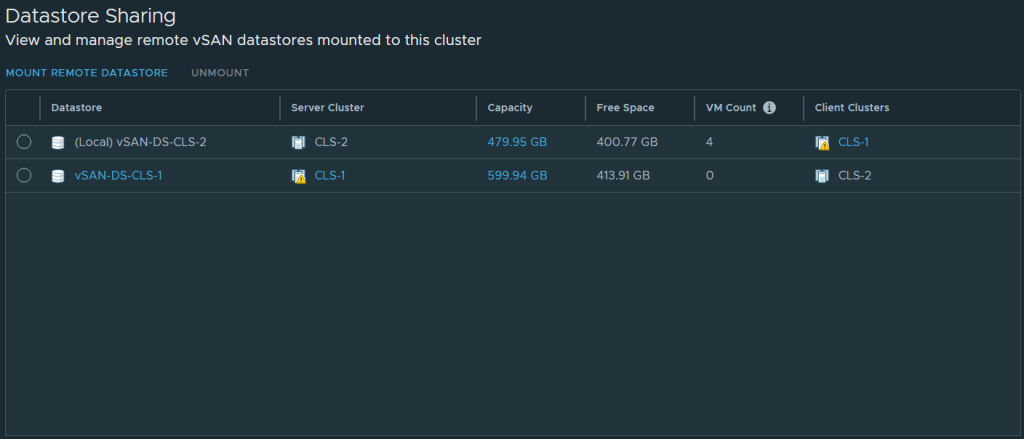
After successfully mounting a Remote vSAN datastore
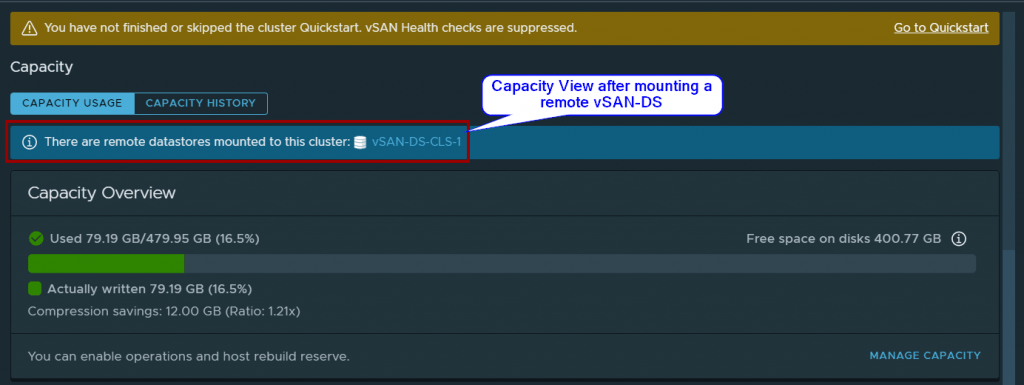
Capacity View Post mounting
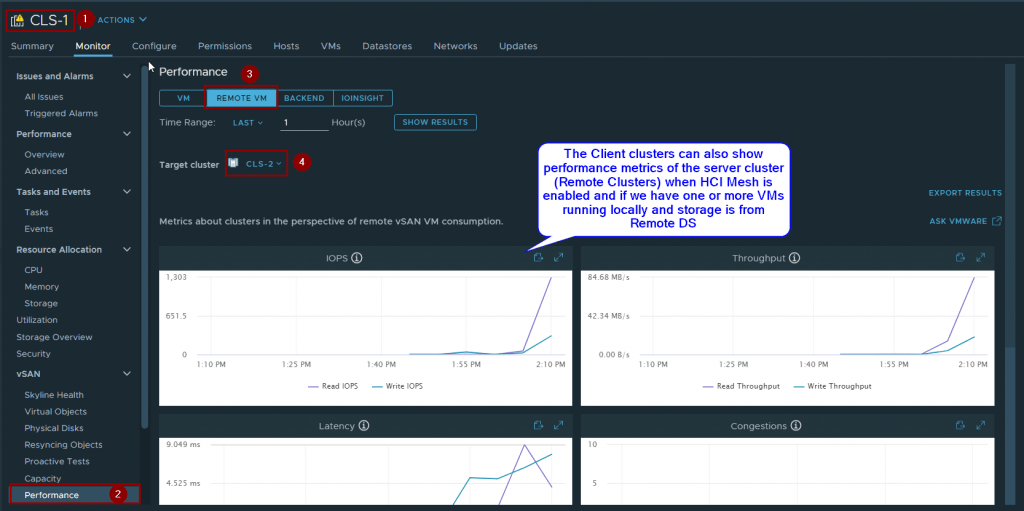
Remote DS perf metric view
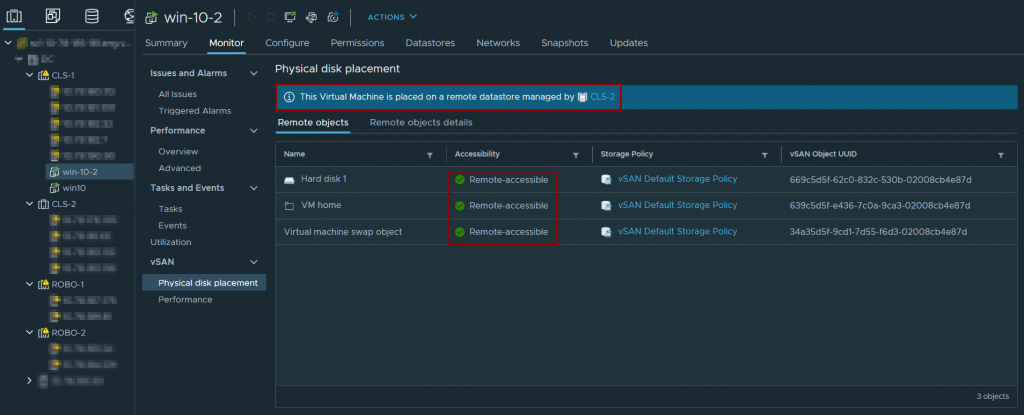
VM-Placement view when components are placed on Remote vSAN Datastore
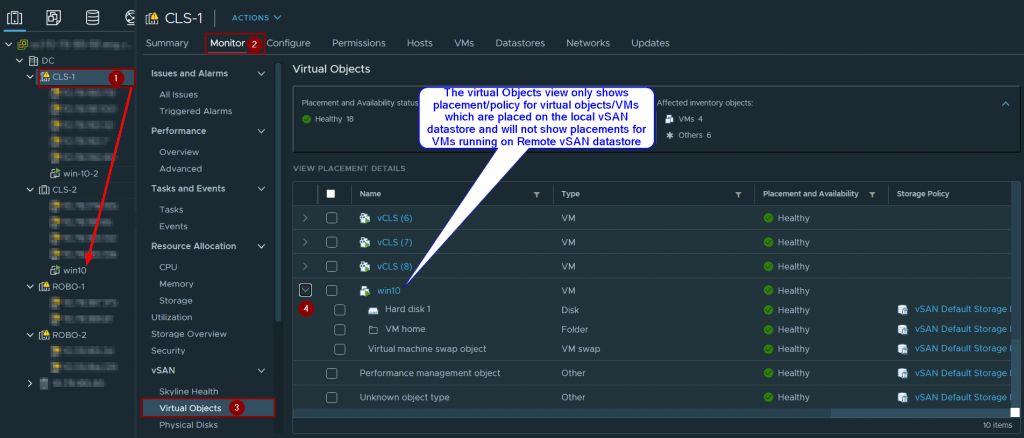
VM-Objects VIew only shows VM object placement within the local vSAN Datastore and doesnot show placement for VMs running off Remote clusters
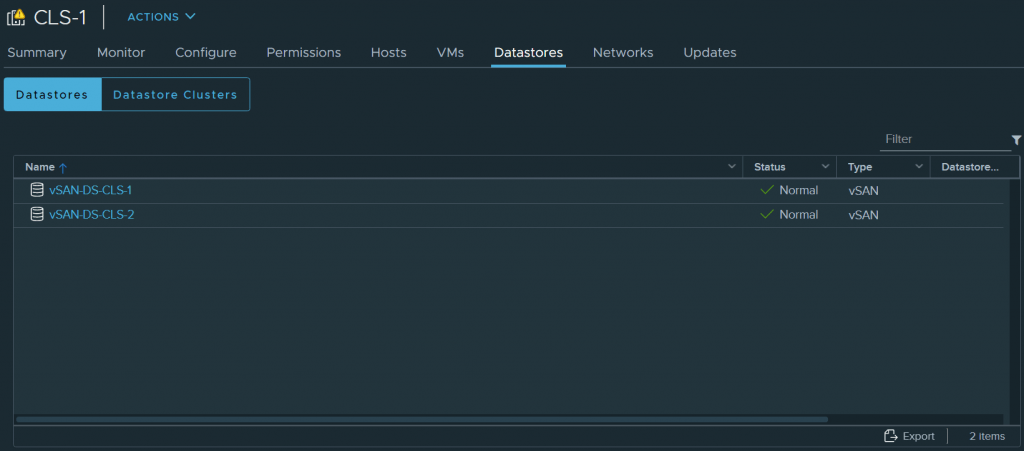
Shared-Datastore-view-Cluster level
That concludes this article on “**VMware HCI Mesh
Read about other features with vSAN 7.0 U1 / vSAN 7 Update1 here or on official VMware blogs here